
Personal Finance


Daily Medication Chart Excel - Free Template
Track medications, doses, refill dates, pills remaining, weekly adherence, and status in a practical Excel chart for home care.
2026-07-30
294 downloads
4.8/5
Download template
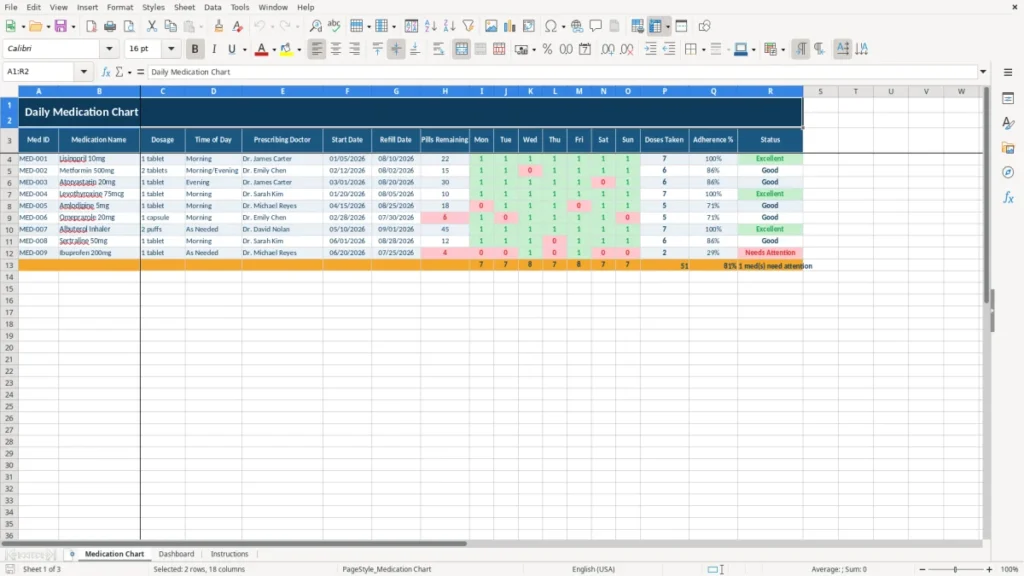
A daily medication chart Excel template is a spreadsheet for recording each medicine, dosage, scheduled time, prescribing doctor, refill date, pills remaining, and doses taken. This workbook contains a Medication Chart, Dashboard, and Instructions sheet so you can review a weekly adherence record in one place.
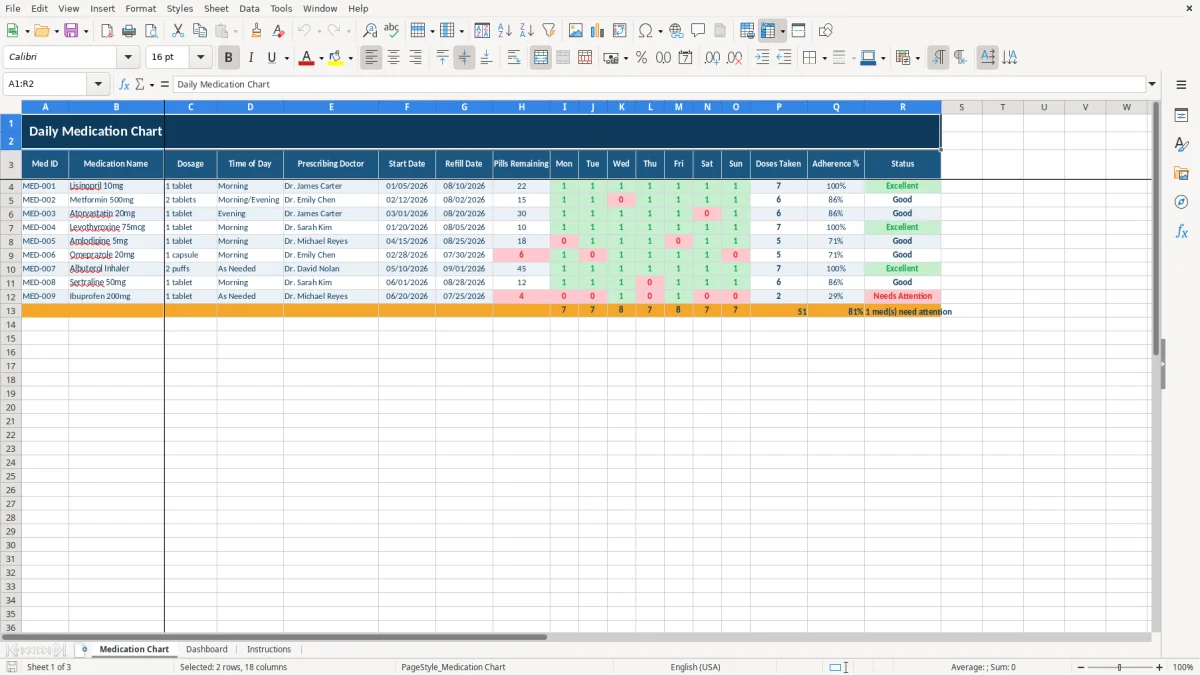
The Medication Chart sheet uses one row per medicine and columns for Monday through Sunday, Doses Taken, Adherence %, and Status. The sample rows show medications such as lisinopril, metformin, and atorvastatin; replace those entries with your own information and follow the directions on the prescription label.
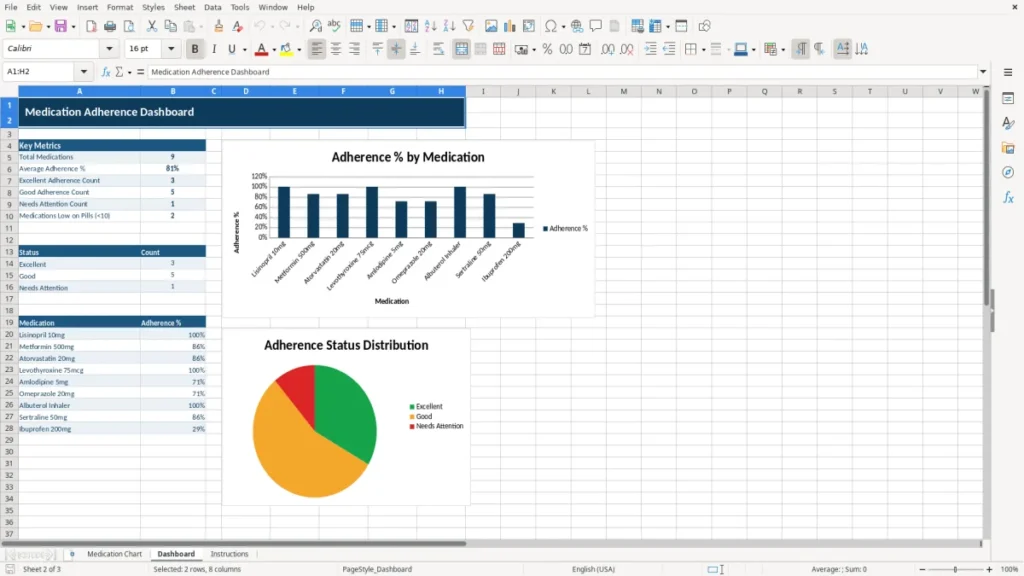
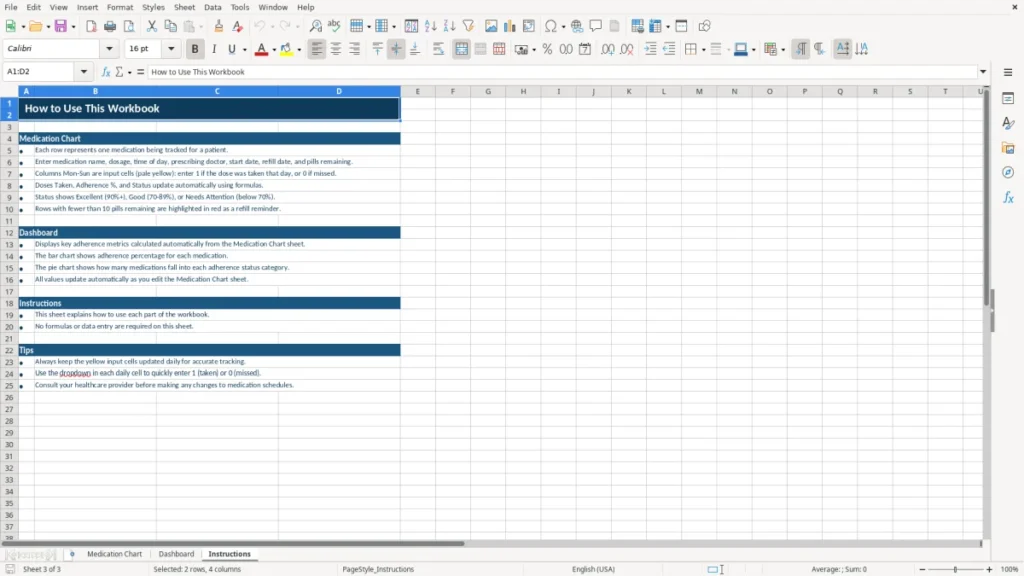
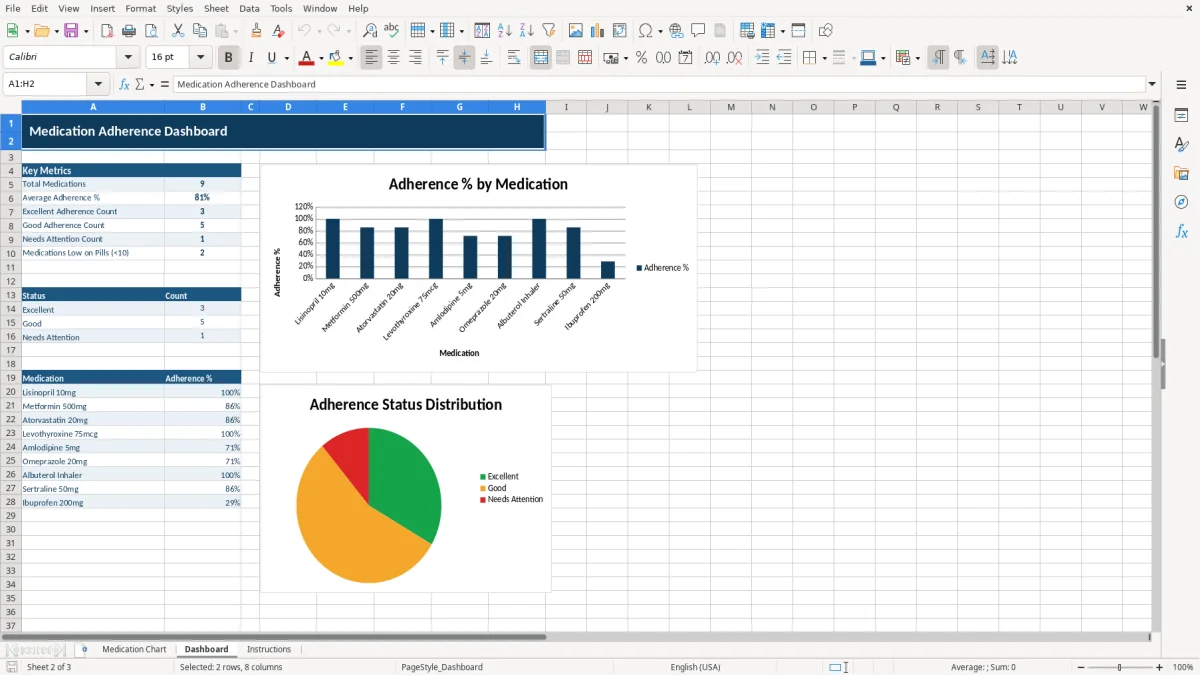
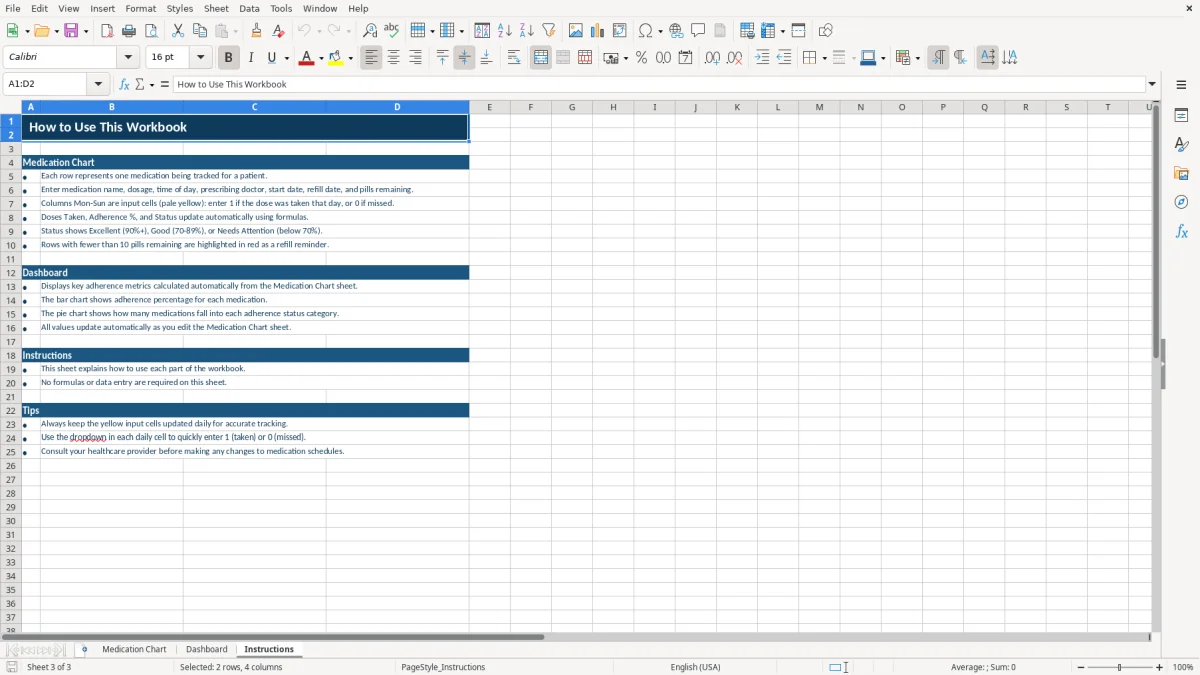
Image 1 shows the main chart with navy headers, pale-yellow input cells, bordered fields, and centered daily dose columns. Image 2 shows the Dashboard, while image 3 shows the Instructions sheet with guidance for working through the file.
The main benefits of this Excel template
- Record the medication name, dosage, time of day, prescribing doctor, start date, and refill date on one row.
- See all 7 daily tracking columns from Mon through Sun instead of relying on loose notes or memory.
- Track Pills Remaining so a household member can spot a low supply before the next refill.
- Use Doses Taken and Adherence % to review a 7-day record; for example, 13 completed doses out of 14 scheduled equals 92.86%.
- Use the Status field to identify medication rows that need attention during a weekly review.
- Keep a separate Med ID such as MED-001 for each medication, reducing confusion when several prescriptions have similar names.
- Review the Dashboard for a quick summary while keeping the detailed entries on the Medication Chart sheet.
Step-by-step guide
- Open the workbook and read the Instructions sheet before entering health information. Keep the file in a private location because it contains personal medical details.
- On Medication Chart, replace the sample Med ID, Medication Name, Dosage, Time of Day, and Prescribing Doctor values with the current prescription information.
- Enter the Start Date, Refill Date, and Pills Remaining for each medication. Use dates in MM/DD/YYYY format, such as 08/10/2026.
- After each scheduled dose, update the appropriate Mon through Sun cell according to the system used in the workbook. Do not mark a dose as taken until you have actually taken it.
- Review Doses Taken, Adherence %, and Status after completing the week. A 6-of-7 record is 85.71%, so the percentage gives you a more useful view than a simple yes-or-no impression.
- Open Dashboard to review the workbook's summary, then use the result when preparing for a medication review or refill call.
- Save a new copy for a new tracking period only after preserving the prior record. Never use the spreadsheet to change a dose, stop a medication, or replace instructions from a licensed clinician.
What is included
Medication Chart sheet with 18 columns, including Med ID, Medication Name, Dosage, Time of Day, Prescribing Doctor, Start Date, and Refill Date.
Seven day-of-week columns from Mon through Sun for recording the week's medication activity.
Doses Taken, Adherence %, and Status fields for reviewing each medication row.
Pills Remaining field for monitoring supply and planning a refill conversation before the current supply runs out.
Dashboard sheet for a higher-level view of the information entered in the chart.
Instructions sheet that gives the user a place to review how the workbook is intended to be used.
Consistent navy and blue headers, amber accents, pale-yellow input areas, wrapped text, and cell borders that make the 18-column chart easier to scan.
Who uses a daily medication chart Excel file at home
A medication chart is most useful when several people share responsibility for one person’s routine. A family caregiver may update it after the morning and evening medication rounds, while an older adult may use it to discuss a week of missed or completed doses with a clinician. It also works for a parent organizing a child’s prescriptions, provided the parent follows the label and the care plan.
Caregivers managing more than one prescription
Suppose a parent takes three medicines: one morning tablet, one medicine taken morning and evening, and one evening tablet. That creates 4 scheduled doses per day, or 28 doses in a 7-day week. The Medication Chart gives each medicine its own row and provides Mon through Sun columns so the caregiver can see which row was updated.
Use the Prescribing Doctor column when two clinicians are involved. For example, Dr. James Carter may manage a blood-pressure medicine while Dr. Emily Chen manages diabetes treatment. Keeping the provider beside the medication is more useful than maintaining a separate note that can become detached from the prescription details.
When the record earns its place
The highest-value time to use the chart is during a medication change, after a hospital discharge, before a primary-care appointment, or when a refill is approaching. If Pills Remaining falls from 30 to 8 during a month, that number gives you a concrete prompt to check the refill date rather than discovering an empty bottle on a Sunday night.
Image 1 shows the 18-column Medication Chart layout. Image 2 shows the Dashboard for summary review, and image 3 shows the Instructions sheet. The workbook is best treated as a household tracking aid, not as a substitute for a medication administration record used by a licensed facility.
What the chart can and cannot establish about medication use
A spreadsheet can document what you entered; it cannot verify that a medicine was swallowed, confirm that a prescription is current, or determine whether two medicines are safe together. The FDA advises taking medicines as directed and using the label or a clinician’s instructions for dose and timing. Do not use an adherence percentage as permission to alter treatment.
Use the prescription label as the source
Enter the exact medication name and dosage from the current bottle or written instructions. A row showing 1 tablet does not mean the same thing as 1 tablet twice daily, so Time of Day must reflect the prescribed schedule. For a medicine taken twice daily for 7 days, the expected total is 14 doses; 13 marked doses produces 92.86% only if 14 was actually the prescribed count.
The chart includes Start Date and Refill Date, but those dates do not calculate a safe stop date or prove that a refill is authorized. A 30-day supply starting on 08/01/2026 may need a refill around 08/31/2026, yet the label, pharmacy instructions, and prescriber’s directions control the actual timing.
Privacy and recordkeeping boundaries
Medication names and doctor information are protected personal health details in practical terms, even when a household spreadsheet is not operated by a covered healthcare provider. Store the file behind your device password, limit sharing, and avoid emailing an unprotected copy. HIPAA applies to covered entities and business associates; a personal home workbook does not automatically become HIPAA-compliant merely because it uses Excel.
Keep the chart only as long as it serves a care purpose. A weekly printout with 28 dose opportunities can be useful at an appointment, but destroy or securely delete outdated copies when they are no longer needed. For symptoms, side effects, missed doses, or an accidental double dose, use the clinician, pharmacist, Poison Control at 1-800-222-1222, or emergency services as appropriate—not a spreadsheet formula.
Where medication charts break down during a busy week
The most serious failures are usually small data-entry failures rather than complex Excel problems. A caregiver may mark the wrong medicine, carry an old dosage into a new week, or check every day in advance. Those errors create a clean-looking record that tells the wrong story.
Similar names and changed instructions
Consider a household with five prescriptions and two bottles stored in the same cabinet. If the caregiver writes only partial names, a missed dose can be assigned to the wrong row. The Med ID column helps: MED-001 and MED-002 give you a stable identifier, while Medication Name and Dosage show the human-readable details.
A dosage change is another common break point. If a prescription changes from 1 tablet to 2 tablets, editing only Dosage while leaving an old weekly record in place mixes two treatment periods. Start a new tracking period or clearly preserve the prior record; do not overwrite historical entries that may be needed to explain what happened.
False confidence from a percentage
Adherence % can hide a clinically important pattern. A person who records 6 of 7 doses has 85.71%, but missing the same evening medicine three weeks in a row is different from one isolated late entry. Conversely, entering 7 of 7 does not prove that every dose was taken correctly.
Pills Remaining can also become unreliable when tablets are split, dropped, shared, or dispensed in a different quantity. If a bottle begins with 30 pills and 2 tablets are taken daily, the simple expectation after 7 days is 16 pills. A count of 21 signals that the chart, the prescription schedule, or the physical count needs reconciliation before anyone draws a conclusion.
What the error costs
The cost may be a missed refill, an unnecessary call, or a confused appointment rather than a bookkeeping loss. A 3-day interruption can matter greatly for some medicines, while doubling a dose can create an urgent safety issue. Use the chart to expose discrepancies quickly, then resolve them through the pharmacist or prescribing clinician.
How to make the chart part of a reliable care routine
The spreadsheet works when updating it is attached to an event that already happens. A practical routine is to open the file during the morning medication round, update it again after the evening round, and review Refill Date and Pills Remaining every Sunday. For three medicines with four daily doses, that is no more than 28 weekly entries when the routine is consistent.
Use a fixed weekly check
- Keep the workbook in one known, private folder rather than creating a new desktop copy each day.
- Set a recurring Sunday reminder for the 10-minute review of missing daily cells, Pills Remaining, and upcoming refill dates.
- Use the Dashboard after the weekly update, not before, so the summary reflects the current chart.
- Save a dated backup such as medication-chart-2026-08-09.xlsx only when preserving a prior period is necessary.
Reduce avoidable entry mistakes
Keep the medication bottle or current medication list beside you while entering Medication Name and Dosage. If a row changes, record the change at the time it occurs and preserve the old period. The pale-yellow input styling in image 1 helps distinguish areas intended for entry from the navy header structure.
Do not add unverified formulas or copy rows blindly. First test one completed week: if 13 of 14 expected doses produces 92.86%, confirm that Doses Taken, Adherence %, and Status respond as intended before relying on the Dashboard.
Know when Excel is no longer enough
Move to a medication-management application or formal care record when several caregivers need simultaneous access, audit history, alerts, barcode checks, or permission controls. A household tracking three medicines can manage a 7-day chart comfortably; a home-care operation serving 20 clients needs controlled access and an auditable workflow that a basic workbook is not designed to provide.
Frequently asked questions about this template
The workbook contains three sheets: Medication Chart, Dashboard, and Instructions. The chart has 18 columns covering medication details, dates, pills remaining, Mon through Sun tracking, Doses Taken, Adherence %, and Status.
Use the daily column according to the workbook’s intended entry system and record the event honestly. Do not take an extra dose or change the schedule based on the spreadsheet; follow the prescription label and contact a pharmacist or clinician when you need instructions about a missed dose.
Yes. Use one row per medication and give each row a distinct Med ID, such as MED-001 or MED-002. Enter the exact Medication Name, Dosage, Time of Day, Prescribing Doctor, and refill information for each prescription.
No. It summarizes the entries you made. For example, 13 recorded doses out of 14 scheduled doses equals 92.86%, but the percentage cannot verify swallowing, timing, interactions, or whether the prescribed schedule was entered correctly.
You can choose to share a relevant, accurate copy during an appointment, but remove information that is not needed and protect the file during transmission. Review the current bottle and medication list first; the spreadsheet should support the conversation, not replace the clinician’s records.
Store it in a private, password-protected device or folder, limit access to people involved in the person’s care, and avoid sending unprotected attachments. Delete old copies securely when they no longer serve a care purpose because the file contains sensitive personal health information.
Meet the makers