
Project & Planning


Compliance Risk Assessment Excel Template
Assess, score, and track compliance risks with an Excel template for regulations, controls, remediation, owners, deadlines, costs, and evidence.
2026-08-01
323 downloads
4.8/5
Download template
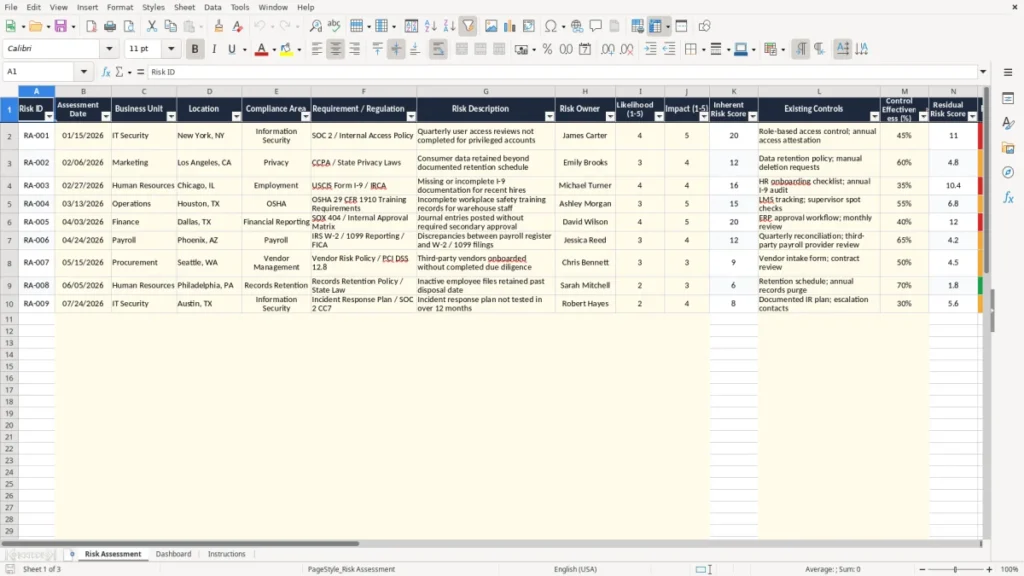
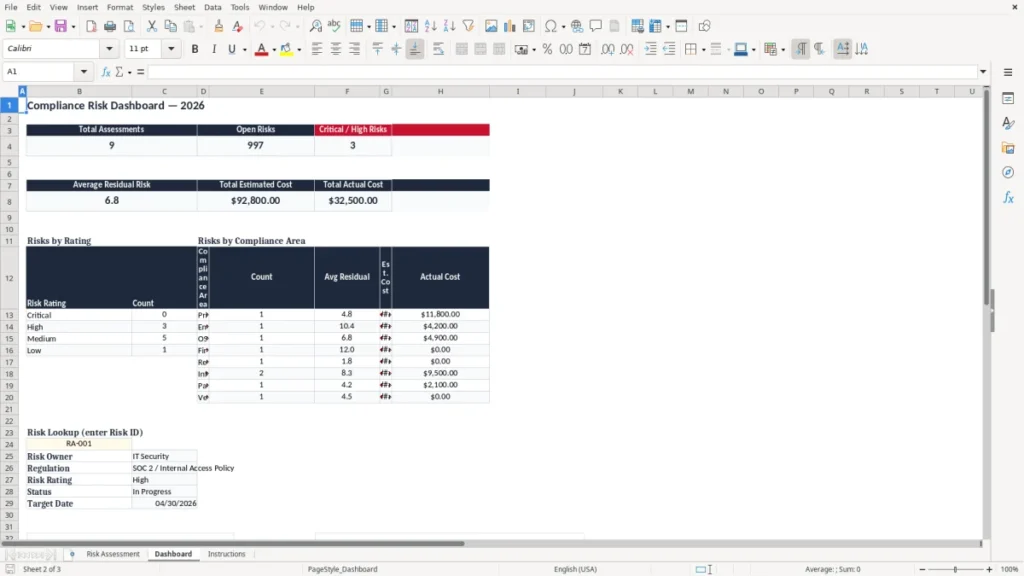
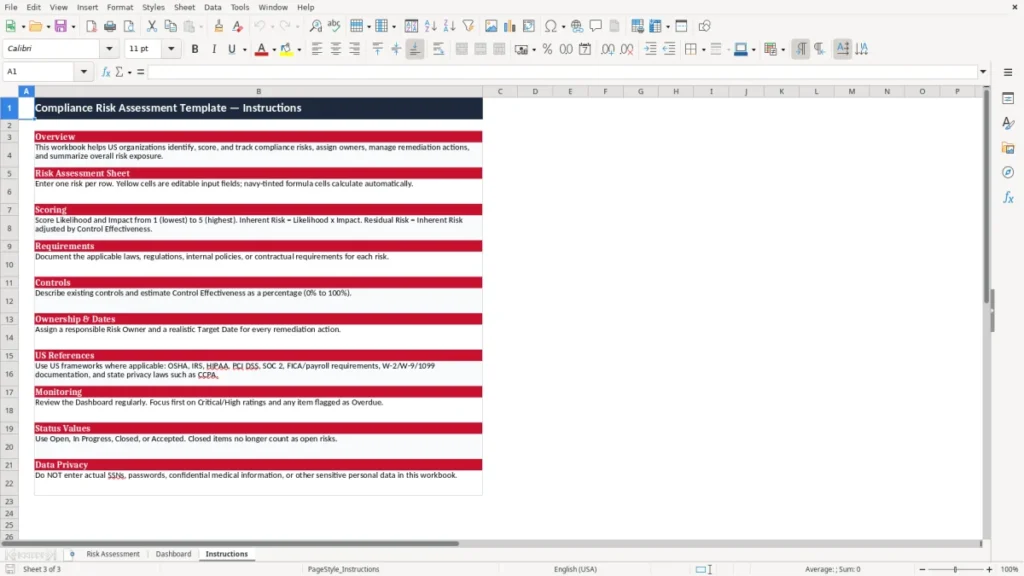
The Compliance Risk Assessment Excel Template provides a practical way to identify, evaluate, prioritize, and monitor compliance risks in one organized workbook. Use it to connect regulations and internal policies with business units, risk owners, existing controls, remediation plans, deadlines, costs, and supporting evidence.
The template is suitable for compliance teams, internal auditors, risk managers, privacy professionals, information security teams, and business leaders who need a consistent risk register without specialized software.
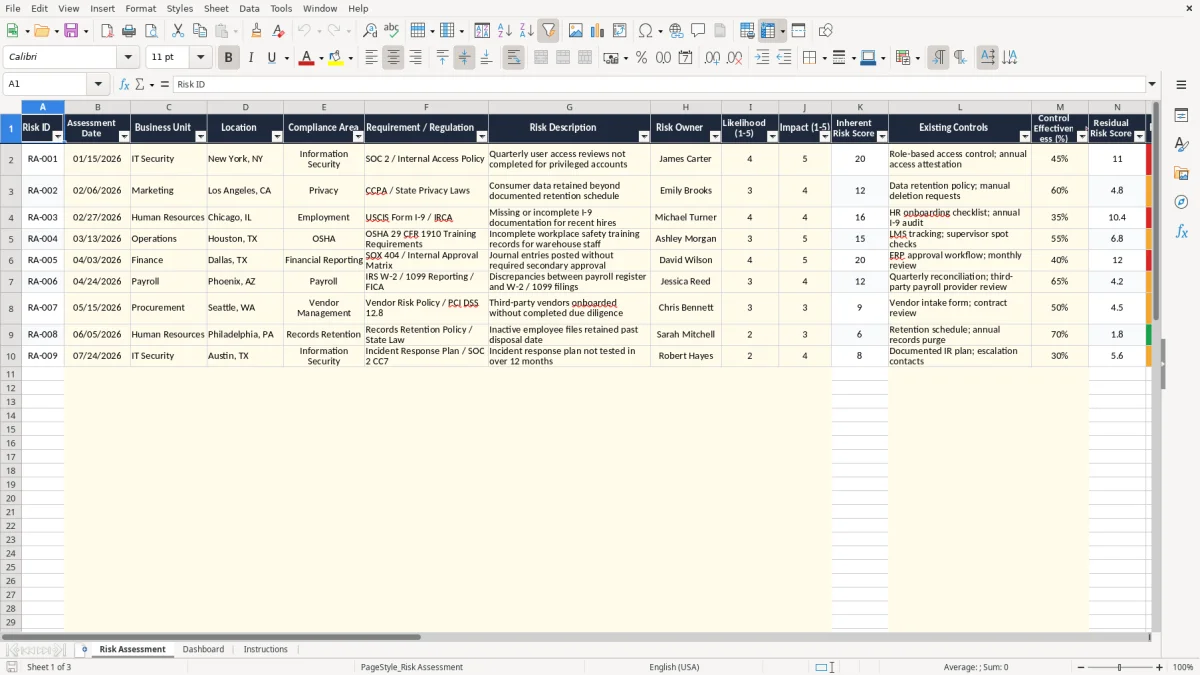
The main benefits of this Excel template
- Centralize compliance requirements, risk descriptions, controls, owners, action plans, and evidence in one structured register.
- Prioritize exposure by evaluating likelihood, impact, inherent risk, control effectiveness, and residual risk.
- Assign clear accountability by recording a risk owner, responsible business unit, location, target date, and current status.
- Track remediation progress with action plans, estimated costs, actual costs, days to target, and overdue indicators.
- Support audit readiness by linking each risk to a regulation, policy requirement, control description, evidence, and notes.
- Create a repeatable assessment process that can be adapted for regulatory, privacy, security, operational, and internal policy risks.
Step-by-step guide
Start by entering a unique Risk ID and the assessment date for each item. Identify the relevant business unit, location, compliance area, and requirement or regulation. Describe the risk clearly, including the potential compliance failure and the activity or process affected.
Assign a risk owner who can coordinate evaluation and follow-up. Rate likelihood and impact on a 1-to-5 scale to support the inherent risk assessment. Document existing controls and enter a control effectiveness percentage to help evaluate the remaining exposure.
Review the residual risk score and risk rating, then decide whether remediation is required. For risks requiring action, record a specific action plan, target date, responsible owner, status, and estimated remediation cost. Update actual costs as work progresses.
Use the Days to Target and Overdue Flag fields to focus attention on approaching or missed deadlines. Add evidence and notes such as audit reports, access review exports, policy records, training logs, incident documentation, or management approvals. Review the register regularly with compliance, legal, audit, security, privacy, and business stakeholders.
Customize terminology, rating guidance, statuses, and control expectations to match your organization’s risk methodology. The workbook supports assessment and tracking, but regulatory interpretation, risk acceptance, and final remediation decisions should be reviewed by qualified professionals.
What is included
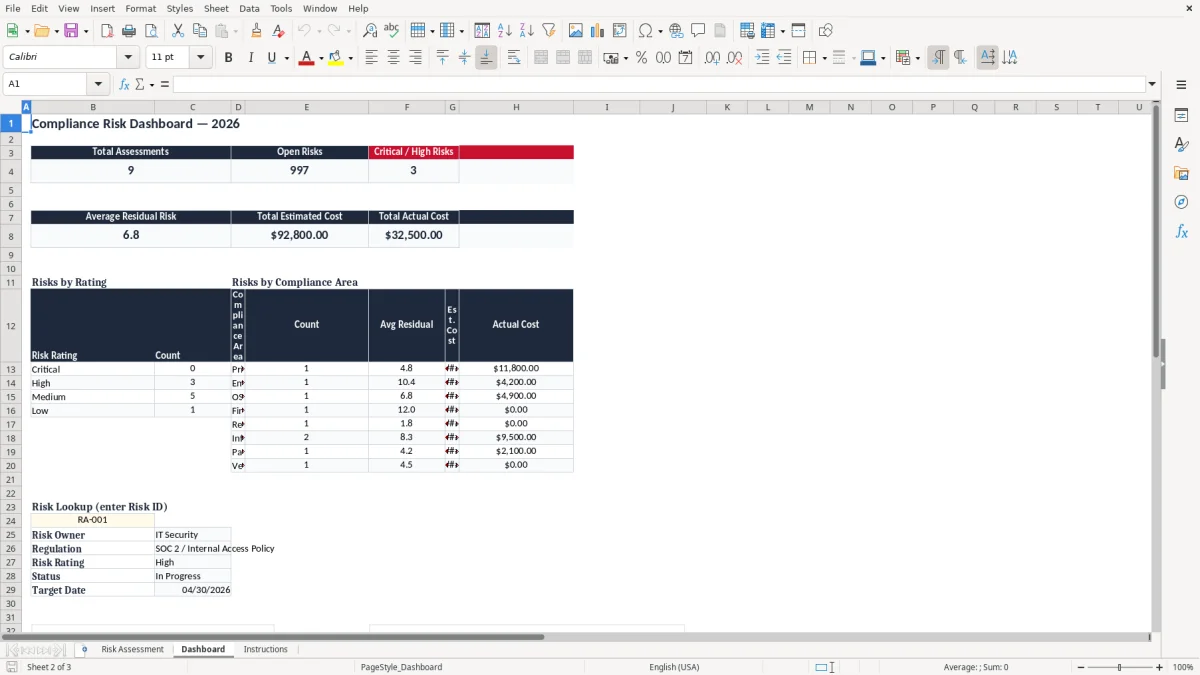
Structured Risk Assessment worksheet with one compliance risk per row and clearly labeled assessment, control, remediation, and evidence fields.
Likelihood and Impact columns using a 1-to-5 rating approach for consistent risk evaluation.
Inherent Risk Score and Residual Risk Score fields to compare exposure before and after controls.
Control Effectiveness percentage field for documenting how well existing controls reduce compliance exposure.
Remediation tracking fields for action plans, target dates, status, estimated costs, actual costs, and overdue monitoring.
Evidence and Notes field for connecting risks with supporting documents, reports, records, approvals, and assessment commentary.
What Is a Compliance Risk Assessment?
A compliance risk assessment is a structured review of the laws, regulations, standards, contracts, and internal policies that apply to an organization. It helps identify where a process, system, department, location, or third party may fail to meet an obligation. The assessment also considers the possible consequences of noncompliance, the controls already in place, and the actions needed to reduce remaining exposure.
A compliance risk assessment Excel template gives teams a consistent place to record this information. Instead of keeping requirements in separate documents, emails, and spreadsheets, users can create a single risk register with owners, ratings, deadlines, costs, and evidence. This improves visibility and makes follow-up easier.
The template supports an assessment from initial identification through remediation tracking. Users can record a regulation or policy requirement, describe the risk, assign likelihood and impact scores, document existing controls, and evaluate residual risk after considering control effectiveness. They can then determine whether remediation is required and define a practical action plan.
Compliance risk assessments are useful for privacy, information security, financial controls, workplace requirements, vendor oversight, data retention, access management, training, records management, and many other areas. The workbook can be adapted to a specific framework or used as a general-purpose compliance register. It does not replace legal advice or formal assurance work, but it provides a clear operational tool for organizing evidence, accountability, and decisions.
How to Score Compliance Risks in Excel
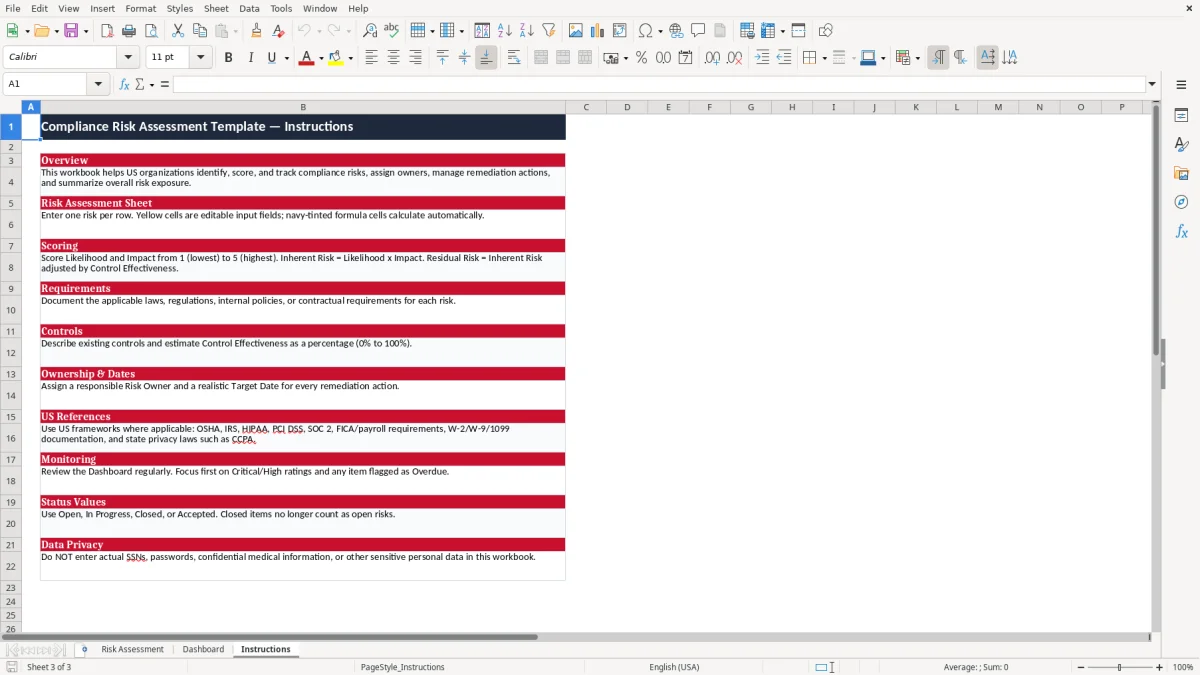
A consistent scoring method helps an organization compare compliance risks and decide which issues require attention first. This template uses likelihood and impact ratings from 1 to 5.
Likelihood represents how probable the risk event is, while impact represents the potential severity if the event occurs. A rare event with an insignificant consequence may receive low ratings, while a likely event involving serious regulatory, financial, operational, or reputational harm may receive high ratings.
Multiplying likelihood by impact provides an inherent risk score. Inherent risk describes exposure before existing controls are considered.
The assessment should then document relevant controls, such as approvals, access reviews, monitoring, policies, training, segregation of duties, retention rules, or technical safeguards. Control effectiveness can be recorded as a percentage or another method approved by the organization.
Residual risk reflects the exposure that remains after controls are considered. A high inherent score may become moderate when controls are reliable and consistently operated.
However, a documented control should not automatically be treated as effective. Teams should consider design, implementation, operating performance, testing results, exceptions, and available evidence.
Organizations should define their own rating thresholds and escalation rules. For example, high residual risks may require executive reporting, formal remediation, or documented risk acceptance.
Medium risks may require a scheduled improvement plan, while low risks may be monitored through routine reviews. The spreadsheet provides the fields for this process, but management should approve the scoring methodology and ensure it is applied consistently across assessments.
Using the Template to Track Compliance Remediation
Identifying a compliance risk is only the beginning. Effective risk management requires clear ownership, practical corrective action, deadlines, and regular progress reviews.
The compliance risk assessment Excel template includes fields that help teams move from assessment to execution. For every risk requiring action, record a concise action plan that explains what will change, who will coordinate the work, and what outcome will demonstrate completion.
Use the Risk Owner field to establish accountability and the Status field to show whether work is not started, in progress, complete, on hold, or otherwise defined by your organization. Enter a Target Date so the team can plan follow-up and identify approaching commitments. Estimated Remediation Cost supports budgeting, while Actual Remediation Cost helps compare planned and realized spending after the work is complete.
The Days to Target and Overdue Flag fields make time-sensitive items easier to review. Teams can filter or sort the register to focus on overdue actions, high residual risks, incomplete controls, or items assigned to a particular business unit. Regular review meetings should confirm whether the action remains appropriate, whether the risk rating has changed, and whether new evidence is available.
Evidence and Notes can include audit findings, policy acknowledgments, system exports, testing results, training records, meeting approvals, contracts, incident reports, or screenshots. Maintaining this context in the register supports transparent decisions and more efficient follow-up. Once remediation is complete, retain evidence, confirm control operation, reassess residual risk, and document whether the risk is closed, accepted, transferred, or requires continued monitoring.
That final closeout step lines up naturally with a risk assessment register, where residual risk, evidence, and closure status can be recorded in one place.
Who Should Use a Compliance Risk Assessment Template?
A compliance risk assessment template can support organizations of many sizes and industries. Compliance officers may use it to maintain a regulatory obligations register and coordinate actions across departments.
Internal audit teams can use it to document potential control gaps, prepare risk-based audit plans, and monitor management responses. Risk managers can use the workbook to bring compliance exposure into broader enterprise risk discussions.
Privacy teams may use the template for data retention, consent, consumer rights, cross-border transfers, breach response, and personal information governance. Information security teams can track access management, vulnerability remediation, incident response, security policies, and evidence supporting recognized frameworks. Finance and operations teams can document approval controls, segregation of duties, vendor obligations, licensing requirements, and recurring attestations.
The workbook is also useful for project teams, department managers, consultants, and smaller organizations that need a straightforward alternative to dedicated governance, risk, and compliance software. Because the register is organized in Excel, users can add rows, adjust terminology, filter records, and tailor the rating approach to their own policies and reporting needs.
Before using the template, define who may create risks, approve scores, accept residual exposure, close remediation, and maintain evidence. Establish a review schedule based on the organization’s risk profile, regulatory obligations, and change activity.
The template is a flexible management aid rather than a complete compliance program. Legal, regulatory, audit, and risk decisions should be reviewed by appropriate qualified professionals, especially when an issue involves significant potential penalties, customer harm, reporting duties, or executive risk acceptance.
A structured decision record can then capture the approvals, escalations, and risk acceptances that arise during review.
Frequently asked questions about this template
The template includes fields for risk IDs, dates, business units, locations, compliance areas, regulations, risk descriptions, owners, likelihood, impact, inherent and residual risk scores, controls, control effectiveness, remediation, deadlines, status, costs, overdue tracking, and evidence.
Compliance officers, internal auditors, risk managers, privacy teams, information security professionals, department leaders, consultants, and business owners can use it to document and monitor compliance risks.
The workbook uses likelihood and impact ratings from 1 to 5. These ratings support an inherent risk score, while existing controls and control effectiveness help assess residual risk. Organizations should define their own thresholds and escalation rules.
Yes. You can add or modify compliance areas, requirements, rating guidance, statuses, control descriptions, owners, evidence expectations, and remediation fields to match a regulation, framework, contract, or internal policy.
Yes. It includes action plan, target date, status, estimated remediation cost, actual remediation cost, days to target, and overdue flag fields for ongoing remediation management.
No. It is an organizational tracking and assessment tool. Qualified compliance, legal, audit, or risk professionals should review regulatory interpretations, scoring methods, risk acceptance decisions, and remediation requirements.
Meet the makers