
Project & Planning


Marketing Timeline Excel Template
Plan and track campaigns with an Excel timeline for dates, owners, budgets, channels, leads, conversions, and performance.
2026-08-09
332 downloads
4.8/5
Download template
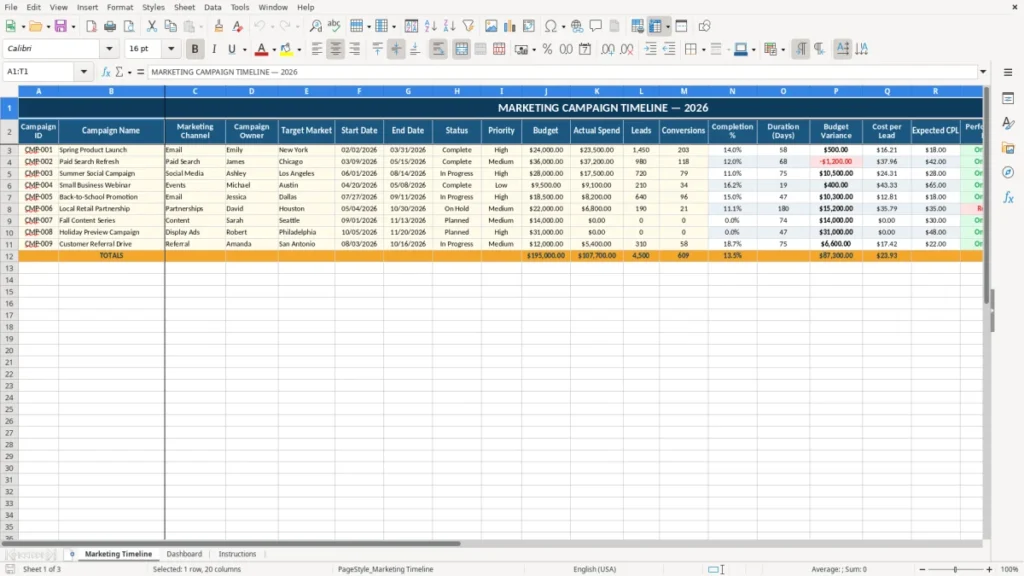
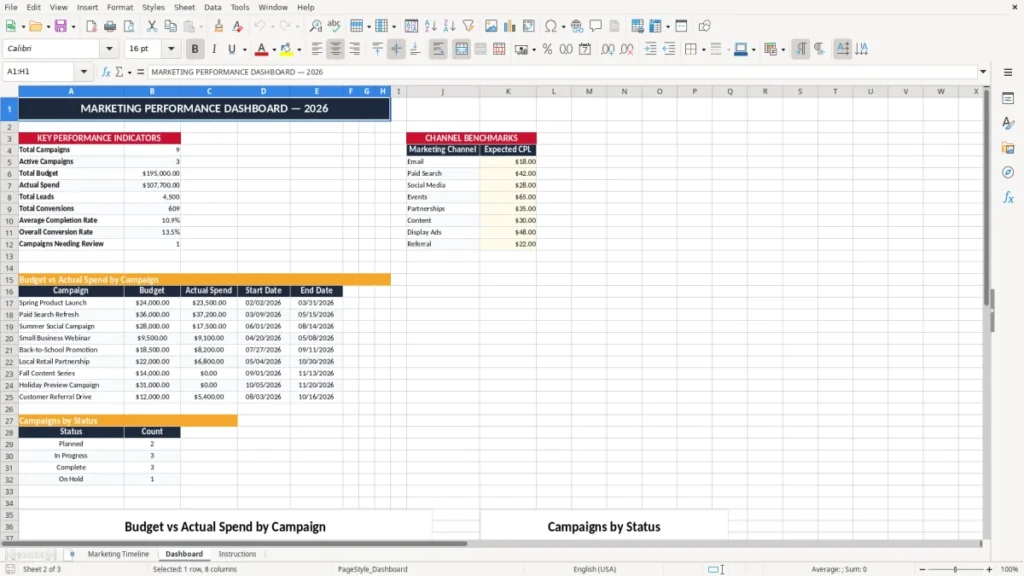
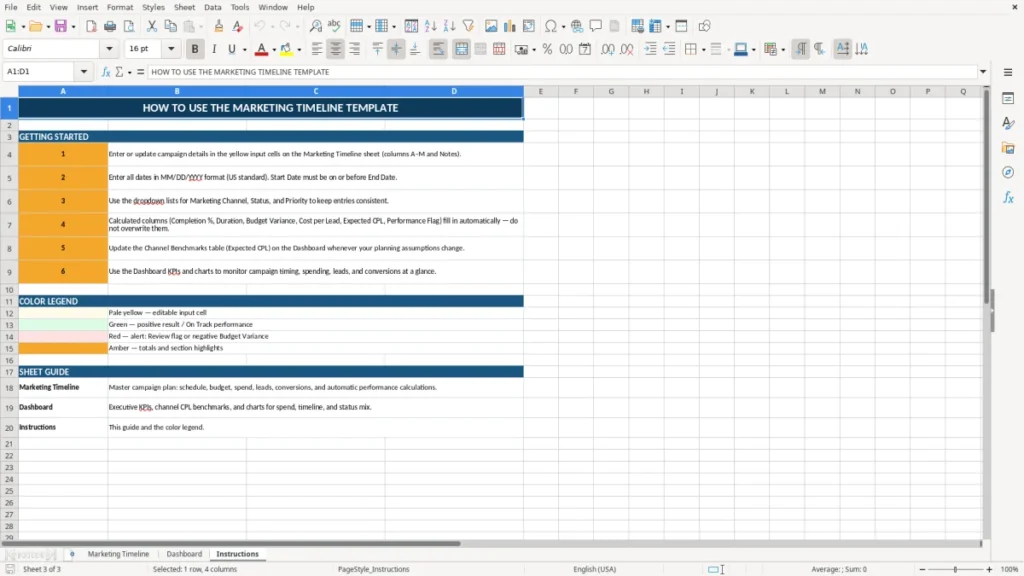
Keep every marketing campaign organized with this practical marketing timeline Excel template. Designed for marketing teams, agencies, and business owners, it provides one clear place to plan campaign schedules, assign owners, track budgets, monitor progress, and compare results.
Record campaign names, channels, target markets, start dates, end dates, priorities, leads, conversions, and performance details in a structured worksheet that is easy to customize for your workflow.
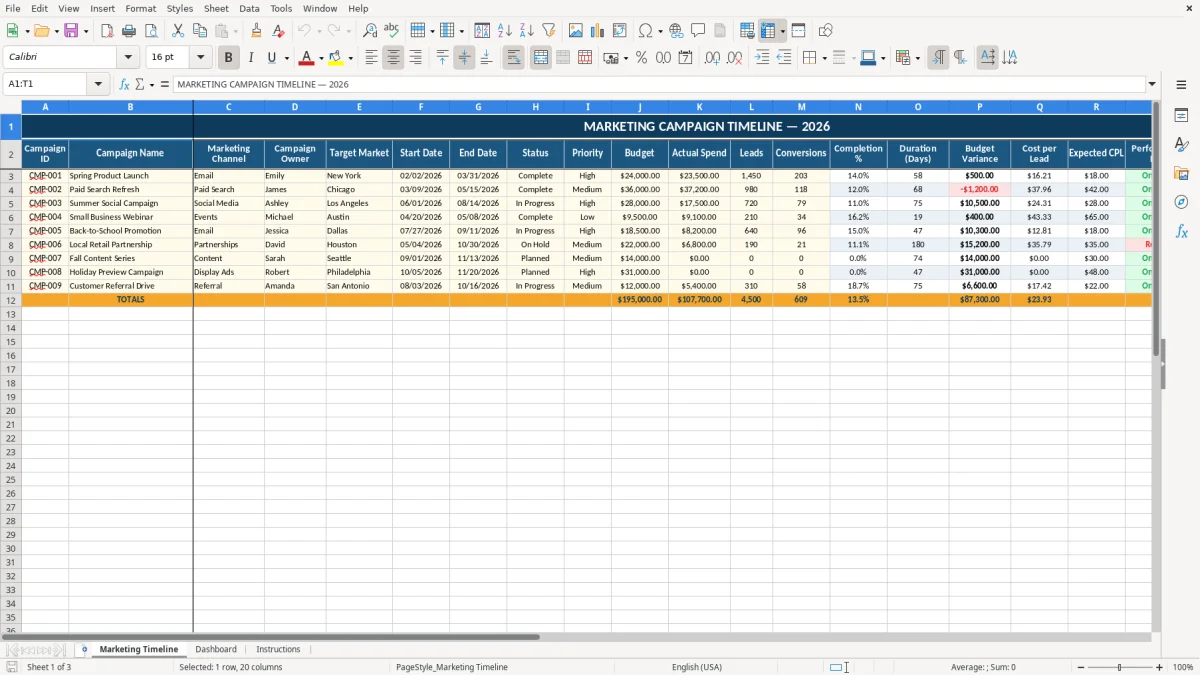
The main benefits of this Excel template
- See campaign schedules, deadlines, owners, and priorities in one organized view.
- Compare planned budgets with actual spend and identify budget variances.
- Track leads, conversions, completion percentage, and cost per lead.
- Use status and performance fields to identify campaigns that need attention.
- Create a consistent planning and reporting process for your marketing team.
- Customize the workbook for different years, channels, markets, and campaign types.
Step-by-step guide
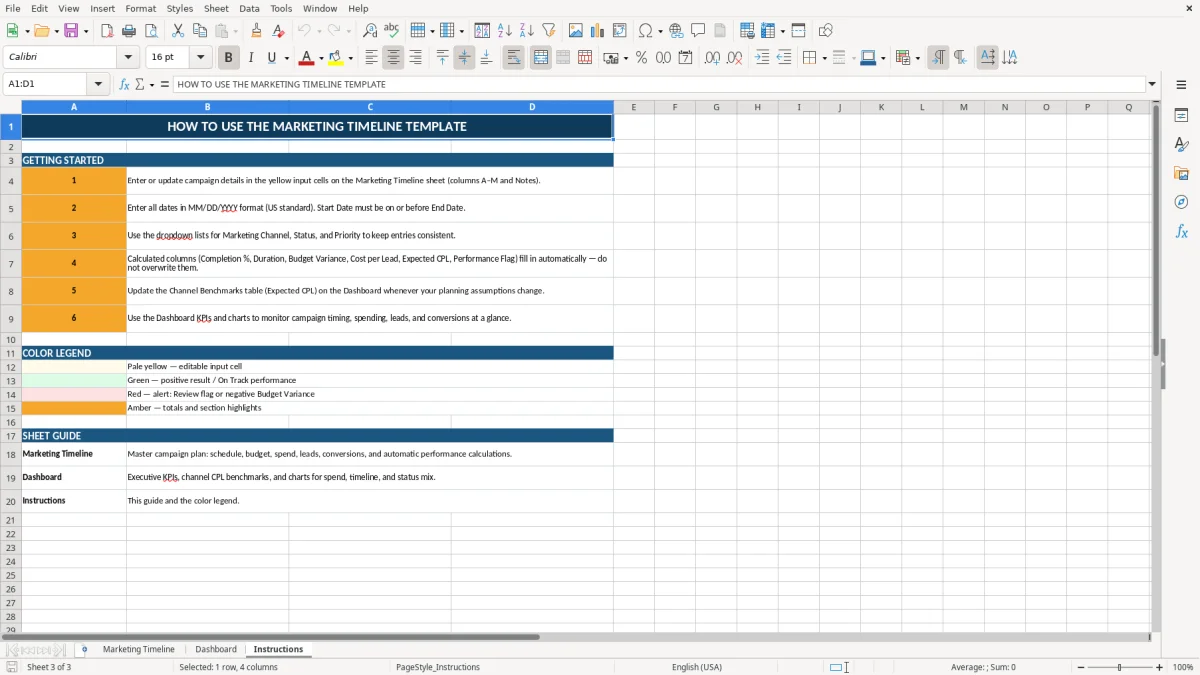
Start by entering a unique Campaign ID, campaign name, marketing channel, campaign owner, and target market for each activity. Add the planned Start Date and End Date to define the campaign schedule and calculate its duration. Select a Status and Priority so active, completed, delayed, and high-value campaigns are easy to identify.
Enter the planned Budget, Actual Spend, Leads, Conversions, and Expected CPL as information becomes available. Review Completion %, Budget Variance, Cost per Lead, and Performance Flag to evaluate progress and decide where optimization may be needed. Use the Notes column for creative details, audience information, launch updates, testing ideas, or follow-up actions.
Add new rows for additional campaigns and copy the existing formulas, formatting, and validation settings when necessary. You can also change the workbook title, dates, status choices, channel names, colors, and reporting fields to match your organization.
What is included
Campaign planning fields for IDs, names, channels, owners, and target markets.
Start dates, end dates, and calculated campaign duration.
Status and priority tracking for clearer workflow management.
Budget, actual spend, budget variance, and cost per lead fields.
Lead, conversion, completion percentage, and expected CPL tracking.
Performance flags and notes for campaign reviews and follow-up actions.
Plan campaigns with a clear marketing timeline
A marketing timeline gives your team a practical way to coordinate campaigns across a month, quarter, or full year. Instead of keeping launch dates, owners, and channel plans in separate documents, this Excel template brings essential information together in one structured worksheet. Each row represents a campaign and includes space for the campaign name, marketing channel, campaign owner, target market, start date, end date, status, and priority.
This makes it easier to understand what is planned, when work begins, who is responsible, and which activities deserve immediate attention. The template is useful for product launches, seasonal promotions, email campaigns, paid search, social media, content marketing, events, and regional marketing programs. You can replace the sample records with your own campaigns and adapt the workbook to a monthly, quarterly, or annual planning cycle.
Date fields help establish a consistent schedule, while the duration column provides a quick view of how long each campaign is expected to run. A shared timeline can also improve communication between marketing, sales, creative, and management teams. When everyone works from the same campaign list, it is easier to spot overlapping launches, crowded production periods, missing ownership, and deadlines that may create operational risks.
The result is a simpler planning process and a more reliable view of your marketing calendar. Use the Notes column to capture dependencies, approval dates, creative handoffs, audience details, and important launch reminders. Regular updates keep the timeline useful throughout the campaign lifecycle, not just during the initial planning stage.
Track marketing budgets and spending
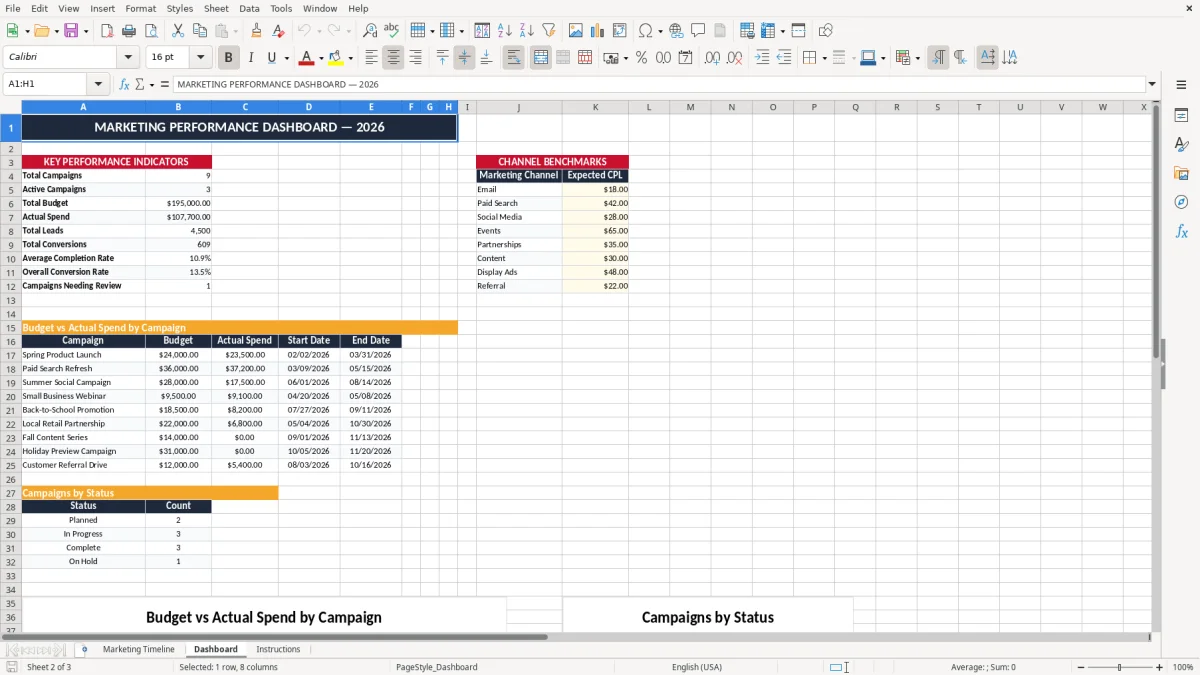
Marketing plans become more useful when schedule information is connected to financial tracking. This marketing timeline Excel template includes fields for Budget, Actual Spend, and Budget Variance, allowing you to compare what was planned with what has been spent. Enter the approved budget when a campaign is created, then update actual spending as advertising costs, production expenses, software charges, agency fees, and other campaign costs are recorded.
Reviewing these figures regularly can help your team identify campaigns that are exceeding expectations before the issue becomes difficult to correct. Budget variance can also highlight opportunities to reallocate unused funds to stronger campaigns or upcoming priorities. The template supports campaign-level review without requiring a separate budgeting workbook for every activity.
It can be used for a single marketing department, a small business, an agency managing client campaigns, or a larger team coordinating multiple regions and channels. Because the budget fields sit alongside dates, owners, and performance measures, you can consider spending in context. For example, a campaign with higher spend may also be producing more leads or conversions, while a campaign with low spend may still have an unfavorable cost per lead.
Customize currency formatting, add internal approval fields if needed, and use the Notes column to explain changes, invoices, or budget decisions. Consistent updates create a clearer record for meetings, monthly reviews, forecasting, and future planning. The workbook can also support conversations about channel mix, campaign efficiency, and resource allocation.
Those planning discussions naturally lead to a goal tracking template for setting the targets behind each budget decision.
Measure campaign progress and results
A campaign timeline should show more than planned dates. It should also help your team understand whether campaigns are moving forward and producing the expected results. This template includes fields for Leads, Conversions, Completion %, Cost per Lead, Expected CPL, and Performance Flag.
Together, these fields provide a straightforward framework for reviewing campaign progress. Completion percentage can show how much of the planned work is finished, while leads and conversions provide basic outcome measures for demand generation and customer acquisition activities. Cost per lead helps compare efficiency across channels, markets, or campaigns, and Expected CPL gives you a benchmark for determining whether performance is close to plan.
The Performance Flag field can be used to mark campaigns that are on track, need review, or require optimization. These indicators are not a replacement for a full analytics platform, but they provide a useful operational snapshot inside the planning workbook. Update results at a regular cadence that suits your campaign cycle, such as weekly during active launches or monthly for longer programs.
Use Notes to record changes to targeting, creative, landing pages, bids, offers, or reporting assumptions. With schedule and performance information together, your team can make more informed decisions about continuing, adjusting, pausing, or expanding a campaign.
This creates a repeatable process for connecting marketing activity with measurable outcomes. Comparing expected CPL with actual CPL can also support testing decisions and help teams document lessons for future campaigns.
That same comparison also sets up a project return analysis for evaluating whether the campaign’s results justify the spend.
Customize the Excel template for your team
Every marketing team has a different planning process, so a useful timeline should be flexible. This marketing timeline Excel template can be adapted for your organization, industry, planning period, and reporting requirements. Change the title to the appropriate year, replace the example campaign records, and add rows for new initiatives as your calendar develops.
You can use the existing channel field for email, paid search, organic search, social media, content, events, partnerships, direct mail, or any other activity. Status and Priority values can be adjusted to reflect your workflow, such as Planned, In Progress, Complete, On Hold, or Cancelled. Campaign owners can be individual team members, departments, agencies, or regional leads.
The Target Market field can capture a city, customer segment, industry, product group, or geographic region. Keep the Notes column for important context that does not fit into structured fields, including creative deadlines, approval requirements, launch dependencies, and next steps. For larger programs, duplicate the worksheet or add supporting columns for assets, project links, objectives, or reporting dates.
Before sharing the workbook, agree on definitions for completion, actual spend, leads, conversions, and performance flags so everyone enters information consistently. A simple update routine can make the file more valuable over time.
Use it during planning meetings, weekly status reviews, budget discussions, and campaign retrospectives to maintain a current and actionable marketing calendar. Protect formula cells if appropriate, provide clear instructions to contributors, and save dated versions when a historical record is important.
Frequently asked questions about this template
A marketing timeline Excel template is a structured spreadsheet for planning and tracking campaigns. It organizes dates, owners, channels, target markets, budgets, status, priorities, leads, conversions, and performance information.
Marketing managers, campaign specialists, agencies, small businesses, sales teams, and project managers can use it to coordinate marketing activities and monitor campaign progress.
You can track email, paid search, paid social, organic social, content marketing, events, partnerships, direct mail, product launches, and other channels by entering your preferred channel names.
Yes. Replace the sample dates with your own schedule and update the workbook title to reflect the year, quarter, month, or planning period you need.
Budget variance compares the planned campaign budget with actual spend. It helps you identify campaigns that are under budget or spending more than planned.
Yes. Add new rows beneath the existing records and copy the relevant formulas, formatting, and validation settings so additional campaigns follow the same structure.
Meet the makers